You have a Chime account. You love the no-hidden-fees, early direct deposit, and mobile-first banking experience. But then life happens—a car repair, an unexpected medical bill, or your grocery budget runs dry three days before payday. You need cash now.
You open a popular cash advance app you heard about, only to find out it doesn’t support Chime. Frustrating, right? Many cash advance apps struggle to connect with online banks like Chime because of how they verify accounts. But the good news is that in 2026, plenty of great options do work seamlessly with Chime.
This guide is your no-fluff, expert breakdown comparing three of the most popular options: Dave, EarnIn, and Brigit. We have done the research so you can find the right app to bridge that payday gap quickly, safely, and without getting hit with predatory fees.
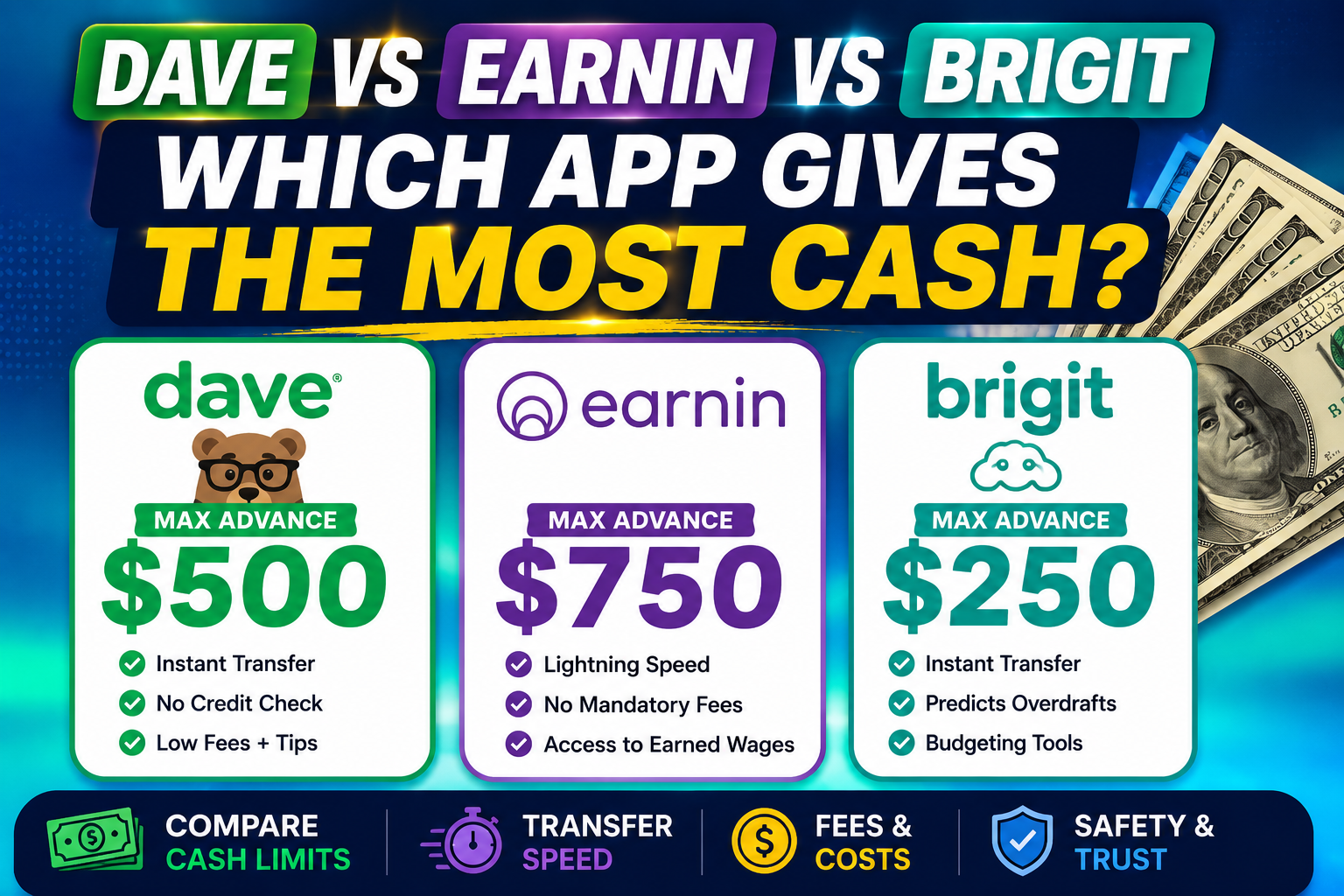
Quick Comparison Table: Dave vs EarnIn vs Brigit
| Feature | EarnIn | Dave | Brigit |
|---|---|---|---|
| Max Advance | Up to $1,000 per pay period (up to $150/day) | Up to $500 | $50–$500 ($250 on Plus plan) |
| Average New User Offer | ~$85/day | ~$160 | ~$73 |
| Speed to Chime | 1–2 business days free; minutes with Lightning Speed | 1–3 business days free; minutes with Express | 1–3 business days free; ~20 minutes with Express |
| Mandatory Fees | None (tips optional) | Monthly membership ($1–$5) + 5% service fee per advance ($5 min, $15 cap) | Monthly subscription ($8.99–$14.99) |
| Instant Transfer Fee | $2.99–$5.99 | 1.5% of advance amount (external account) | $0.99–$3.99 (waived on Premium plan) |
| Chime Compatibility Rating | ⭐⭐⭐⭐ (select users) | ⭐⭐⭐⭐ | ⭐⭐⭐⭐ |
| Credit Check? | No | No | No |
| Best For | Fee-free advances, high limits | Budgeting tools, banking bundle | Overdraft protection, financial wellness tools |
First Things First: Try Chime’s Built-in Options
Before you download any third-party app, check if you already have a solution in your pocket.
Chime SpotMe: Fee-Free Overdraft Protection
SpotMe isn’t a cash advance per se, but it covers you when you overdraft on debit card purchases and ATM withdrawals. Your limit starts at $20 and can grow to $200 or more based on your account history and direct deposits . It is an automatic safety net with no fees. SpotMe only requires $200 or more in qualifying direct deposits monthly and works on debit card purchases and ATM withdrawals, not ACH transfers or Pay Anyone transfers .
Chime MyPay: Get Up to $500 of Your Paycheck Early
Chime’s own cash advance feature, MyPay, lets eligible members access up to $500 of their earned wages before payday . It has no mandatory fees, no interest, and no credit check. Standard delivery is free within approximately 24 hours, or instant for a fee of $2 to $5 .
Detailed Reviews: Dave vs EarnIn vs Brigit
1. EarnIn: Best for No Mandatory Fees and High Limits
EarnIn operates differently from most apps. Rather than a traditional cash advance, it gives you access to wages you have already earned—a model called earned wage access (EWA) . It lets you access up to $150 per day and up to $750 per pay period, with limits rising to $1,500 per pay period if you have a qualifying EarnIn deposit account .
Chime Compatibility: EarnIn supports Chime for select users . To see if you qualify, check your bank selection list inside the app. If you see Chime listed, it is supported. If eligible, ensure Allow Transactions is enabled in your Chime app to authorize EarnIn to debit your account on payday .
Fees Explained: No mandatory fees, no interest, no subscription. Standard delivery is completely free and takes 1 to 2 business days . If you need the money faster, Lightning Speed transfers arrive within minutes for a fee starting at $2.99 to $5.99, depending on the amount . Tips are optional and have no effect on your access or limits .
How to Connect with Chime:
- Download the EarnIn app and create an account.
- During setup, you will be prompted to link your bank.
- Search for Chime in the bank selection list. If it appears, select it.
- Enter your Chime online banking credentials via Plaid.
- If Chime is not listed, your account is not currently supported .
Pros:
- No mandatory fees or monthly subscription
- High per-period limits (up to $750–$1,500)
- Works with your existing bank account
Cons:
- Not available for gig workers or irregular income
- $150/day cap means multiple requests for larger amounts
- Verification delays can prevent same-day access for new users
Real User Experience Summary: Users praise EarnIn for its high limits and transparent fee structure. The key is ensuring Chime is supported for your account, which has become more common in 2026.
2. Dave: Best for Budgeting and Banking Bundle
Dave’s ExtraCash feature lets eligible members access up to $500 with no credit check, no interest, and no late fees . The app monitors your connected bank account to determine how much you are eligible for, and the amount can change from day to day .
Chime Compatibility: Dave connects to Chime via Plaid and explicitly lists Chime as compatible . Most cash advance apps, including Dave, are compatible with Chime .
Fees Explained: A Dave membership of $1 to $5 per month is required to access ExtraCash . On top of the monthly fee, every transfer carries a mandatory 5% service fee with a $5 minimum and $15 cap . For example, on a $100 advance you would pay $5, and on a $300 advance you would pay $15. Transferring to your Dave Checking account is instant and free of any additional fee. If you want the funds on an external debit card (like Chime), that arrives within an hour for an optional 1.5% express fee . Free ACH transfers to an external bank take 2 to 3 business days .
How to Connect with Chime:
- Download the Dave app and create an account.
- Navigate to the Profile Tab.
- Choose Linked Banks and Card.
- Tap Change next to Linked Banks.
- Select Chime from the bank list and continue .
Pros:
- Up to $500 with no interest
- Instant, fee-free transfer to Dave Checking
- Includes budgeting tools and a side-hustle finder
Cons:
- Mandatory service fee (5% with $5 min, $15 cap) per advance
- Monthly membership fee ($1–$5) on top of service fees
- Few members qualify for the full $500 right away
Real User Experience Summary: Dave is praised for its budgeting tools and overdraft prevention features. However, the mandatory service fee combined with the monthly subscription makes the true cost higher than the headline suggests . The app is a solid option if you plan to use the Dave Spending Account as your primary checking account .
3. Brigit: Best for Overdraft Protection and Financial Wellness
Brigit takes a proactive approach, monitoring your account balance to determine when you might overdraft and sending you a notification . From there, you can accept a cash advance of $50 to $500. You do not have to request the money; Brigit handles it for you .
Chime Compatibility: Brigit works with Chime by analyzing your account activity. The app requires your checking account to be active for 60+ days with three or more recurring direct deposits from the same source before you qualify .
Fees Explained: Brigit offers two paid tiers. The Plus plan ($8.99/month) gives you advances from $25 to $250. The Premium plan ($14.99/month) raises your limit to $500 . Both plans include 0% interest, no origination fees, and no mandatory tips. Standard transfers are free; express transfers cost $0.99 to $3.99 (waived entirely on the Premium plan) . The free plan only includes budgeting tools and low-balance alerts . Brigit also offers free repayment extensions .
How to Connect with Chime:
- Download the Brigit app and create an account.
- Link your Chime account via Plaid by entering your online banking credentials.
- The app will analyze your account history to determine eligibility.
- If qualified, you can request an advance from the app dashboard.
Pros:
- Proactive overdraft alerts before your balance hits zero
- No tipping, no per-advance interest
- Free repayment extensions available
Cons:
- Monthly subscription required for in-app access to advances
- Average offer of $73 is on the lower end for new customers
- Subscription cost is higher than some competitors
Real User Experience Summary: Users who struggle with recurring overdrafts find Brigit’s automatic protection invaluable. However, the subscription cost is a common complaint if you do not use the app’s full suite of features, which includes budgeting tools, a Credit Builder program, and identity theft protection .
Head-to-Head: Which App Wins?
Most Cash Overall: EarnIn
EarnIn offers the highest per-period limit at $1,000 (or $1,500 with an EarnIn account), significantly outpacing Dave and Brigit. It also provides up to $150 per day, making it the best option for those needing larger amounts .
Lowest Fees: EarnIn
EarnIn has no mandatory fees, no monthly subscription, and no interest. Tips are optional and do not affect your access or limits . Dave has both a monthly membership and a per-advance service fee, while Brigit requires a monthly subscription.
Fastest Funding: Dave and Brigit
All three apps offer instant funding for a fee. EarnIn’s Lightning Speed fee starts at $2.99, Brigit’s Express fee is $0.99–$3.99 (waived on Premium), and Dave’s external instant transfer costs 1.5% plus the 5% service fee .
Best for Overdraft Protection: Brigit
Brigit is specifically designed to monitor your account and alert you before you overdraft, making it the best choice if avoiding overdraft fees is your primary concern .
How to Qualify for Higher Advances Over Time
Most cash advance apps use algorithms based on your banking activity to determine your limit. Here is how to increase your chances of getting a larger advance:
- Maintain Consistent Direct Deposits: Regular, predictable income is the single most important factor .
- Avoid Overdrafts: Apps see overdrafts as a sign of financial stress and may lower your limit.
- Use the App Responsibly: Borrow small amounts and repay them on time. This builds trust with the app’s algorithm. New user limits are often much lower than the advertised maximum, so build your limit before you are in genuine need .
- Keep a Positive Balance: A higher average daily balance in your Chime account suggests you are a lower-risk user.
- Build Account History: The longer you have had your Chime account, the more data the app has to evaluate your reliability.
Important Safety Warning: Predatory Lenders to Avoid
Cash advance apps are a much safer alternative to traditional payday loans, but not all apps are created equal . Be on the lookout for:
- Apps with Extremely High APRs: Some apps masquerade as cash advances but are actually high-interest loans. Always check the APR. A typical payday lender charges $15 per $100 borrowed, which on $500 means a $75 fee for a two-week loan—translating to nearly 400% APR .
- Hidden Fees: Read the fine print. Avoid apps that are not transparent about subscription fees, processing fees, or tips that are essentially mandatory.
- Aggressive Collection Practices: Stick with well-established, reviewed apps like the ones on this list.
- Requests for Upfront Payment: Legitimate cash advance apps never ask for money upfront to unlock an advance.
- Apps That Do Not Explicitly Support Chime: Apps like FloatMe, PayActiv, and SoLo Funds are known to have issues connecting to Chime . Avoid the frustration and stick with verified options.
Frequently Asked Questions (FAQs)
1. Why do some cash advance apps not work with Chime?
Some apps use older bank-linking technology that flags Chime as a prepaid account rather than a checking account, leading to compatibility issues . The apps on our list have confirmed they work with Chime.
2. Will using a cash advance app with Chime affect my credit score?
No. The cash advance apps listed in this guide do not perform hard credit checks and generally do not report your activity to credit bureaus .
3. How do I link my Chime account to a cash advance app?
Most apps use Plaid or a similar secure service. You will need to enter your Chime online banking credentials. If the app does not find Chime, try searching for The Bancorp Bank or Stride Bank (Chime’s partner banks) .
4. What happens if I cannot repay a cash advance app?
Most apps will attempt to auto-withdraw the funds from your linked bank account. If you do not have enough funds, the app may try again. In some cases, you can request a due date extension (like with Brigit). Failure to repay can result in being banned from the app and potential collection efforts.
5. Is Chime SpotMe better than Dave, EarnIn, or Brigit?
For existing Chime users, SpotMe is often the best option because it is free, seamlessly integrated, and requires no separate app . However, its $200 cap may not be enough for everyone, making EarnIn or Dave better for those needing larger amounts .
Final Verdict
Best Overall for Chime Users: Chime SpotMe and MyPay are built-in, have no mandatory fees, and offer a seamless experience. SpotMe covers up to $200 in overdrafts, and MyPay offers up to $500 in cash advances .
Best for Large Amounts: EarnIn offers the highest per-period limit at $1,000 (or $1,500 with an EarnIn account) and has no mandatory fees, making it the clear winner for those needing more cash .
Best No-Fee Option: EarnIn is the best no-fee option with its tip-based model and no monthly subscription . Chime SpotMe is also completely free for eligible members .
Best for Overdraft Protection: Brigit is specifically designed to monitor your account and prevent overdrafts, making it the best choice if avoiding overdraft fees is your priority .
Best Budget-Friendly Banking Bundle: Dave offers a comprehensive banking experience with budgeting tools, a side-hustle finder, and credit-building features, but the mandatory fees make it more expensive than EarnIn for occasional users .
Choose the app that best fits your financial situation and borrowing needs. And remember: these apps are a bridge, not a solution. Use them wisely to cover short-term gaps.